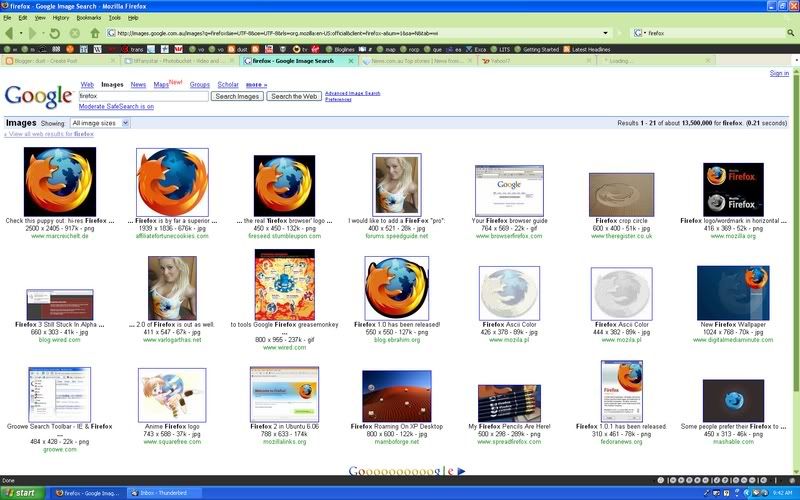
[screenie.. i love my green skin add-on, my foxytunes (in the corner above the time) i got a ton of bookmarks in my bookmarks toolbar and 6 tabs or websites open in the same window]
Have you ever signed up for something or recieved a password (that you didnt get a choice in) that you had it on paper once and then lost it.. but you had used it online and used the password manager to save it.. and now that you saved your password you no longer have to remember the password and the time goes by (say its like a online billing invoive u only look at once a month or a forum that you check at least 5 times a day) its a lifesaver clicking that 'save password' option so you dont have to re-type your login name/number and the password...
but then relying on that means you completly forget that password!
So i had the same thing, only it was for our email account with our internet provider (so not a yahoo etc account) and i had it set up on my laptop.. (but now my laptop needs a erase and clean slate again.. plus its slow, so now i only use it if hubby is on this wonderfully quick pc) so when it came to setting up my email account in thunderbird i couldnt remember the password! (one we didnt get to choose) so i thought, i wonder if i can look in the password manager.. and so i clicked on options, security sure enough my email account was listed, clicked show password and hey presto! i've got it and saved myself 20-30mins waiting on the phone listening to terrible on-hold music/advertising!!!
I then thought i'd look at my firefox and its saved logins and passwords.. wow! the pages and things id previously signed up for and forgotten all about are all nicely saved in there! YAY!
I thought i'd share it with you guys, it would also come in handy if you suspect your children are talking or chatting or where they spend their time if you think something is 'up'..
Oh and if u ever thought that your computer is safe by setting it up so u have to add a password before your computer boots in to windows (in case it gets stolen, kids banned from pc etc) think again, theres a password cracking program that runs on cd.. just in case you didnt know..
(usually for very old versions of windows tho..)
altho no doubt theres all kinds of password cracking programs out there, but just like any program out there some nasty people decide to put viruses and the like in them.. for kicks i suppose.. so be weary of the programs you do download.
So do u guys use firefox/thunderbird or the microsoft versions? I admit im waaay behind in using the microsoft versions as i havent used them in 5 years or so now.. I'm quite happy with firefox seeing as its very easy to navigate and they were the first to use tabs (many webpages inside the one window)


 *note my pnotes are transparent due to a option, u can have them as transparent or as none transparent as u prefer..